An Airbnb cleaning schedule that updates itself
MopTurn reads your bookings from your PMS or from Airbnb, Booking.com and Vrbo calendar links and turns each checkout into a cleaning job on your cleaner's schedule. New bookings, cancellations and date changes reach her automatically. Changes in the last 48 hours need one tap, Got it, so you know she saw them.
How bookings become cleaning jobs
Every checkout becomes a cleaning job, on checkout day, on the schedule of the cleaner you've set as the main cleaner for that property. Cleans always happen on checkout day, even when no one is booked after, so the home is ready if a last-minute booking comes in.
- Through your PMS (Hospitable, Smoobu, OwnerRez, Hostaway, Guesty, Lodgify and others), MopTurn gets the real checkout and check-in times.
- Through calendar links from Airbnb, Booking.com and Vrbo, you set your standard checkout and check-in times for each property once.
MopTurn also learns how long a clean takes at each property, so it knows the latest time a clean can start before the next guest arrives.
What your cleaner sees
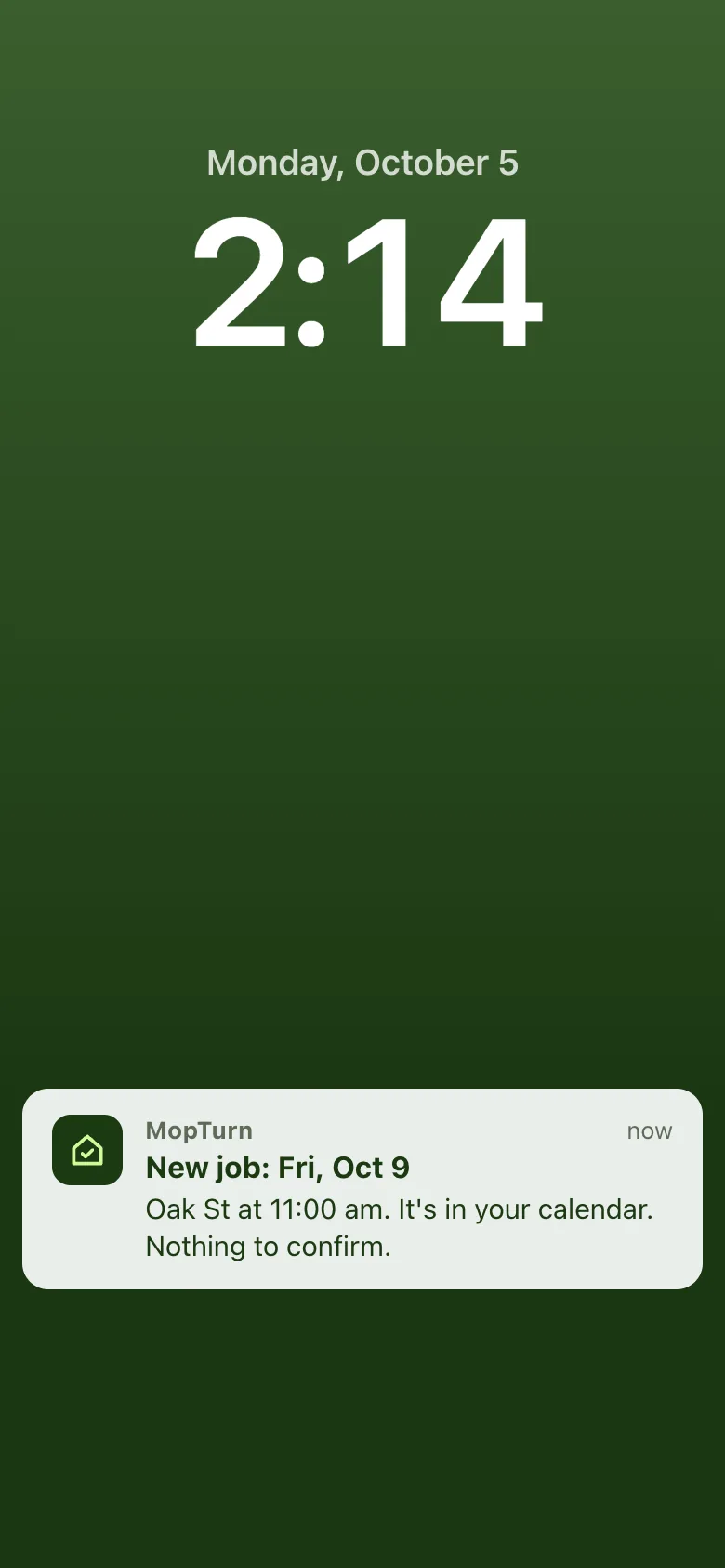
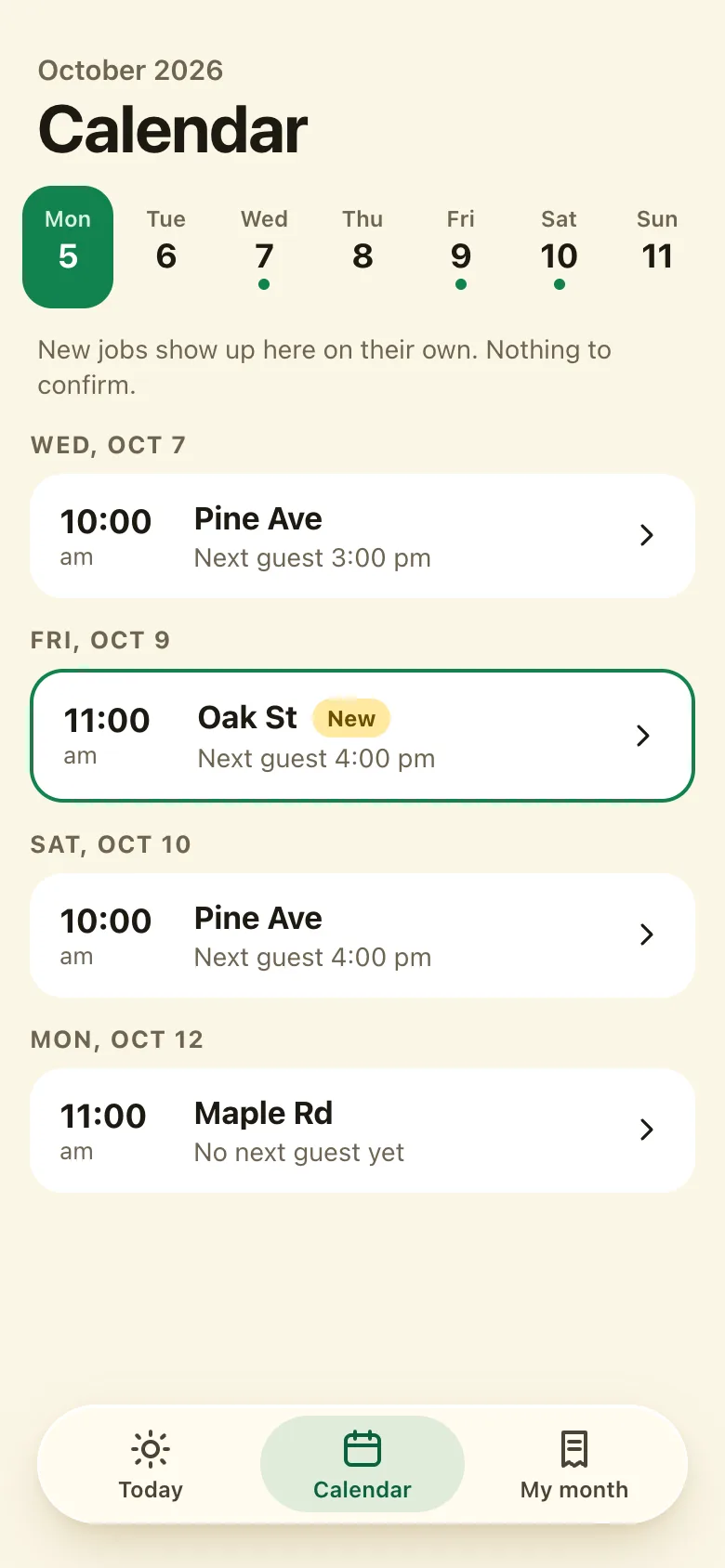
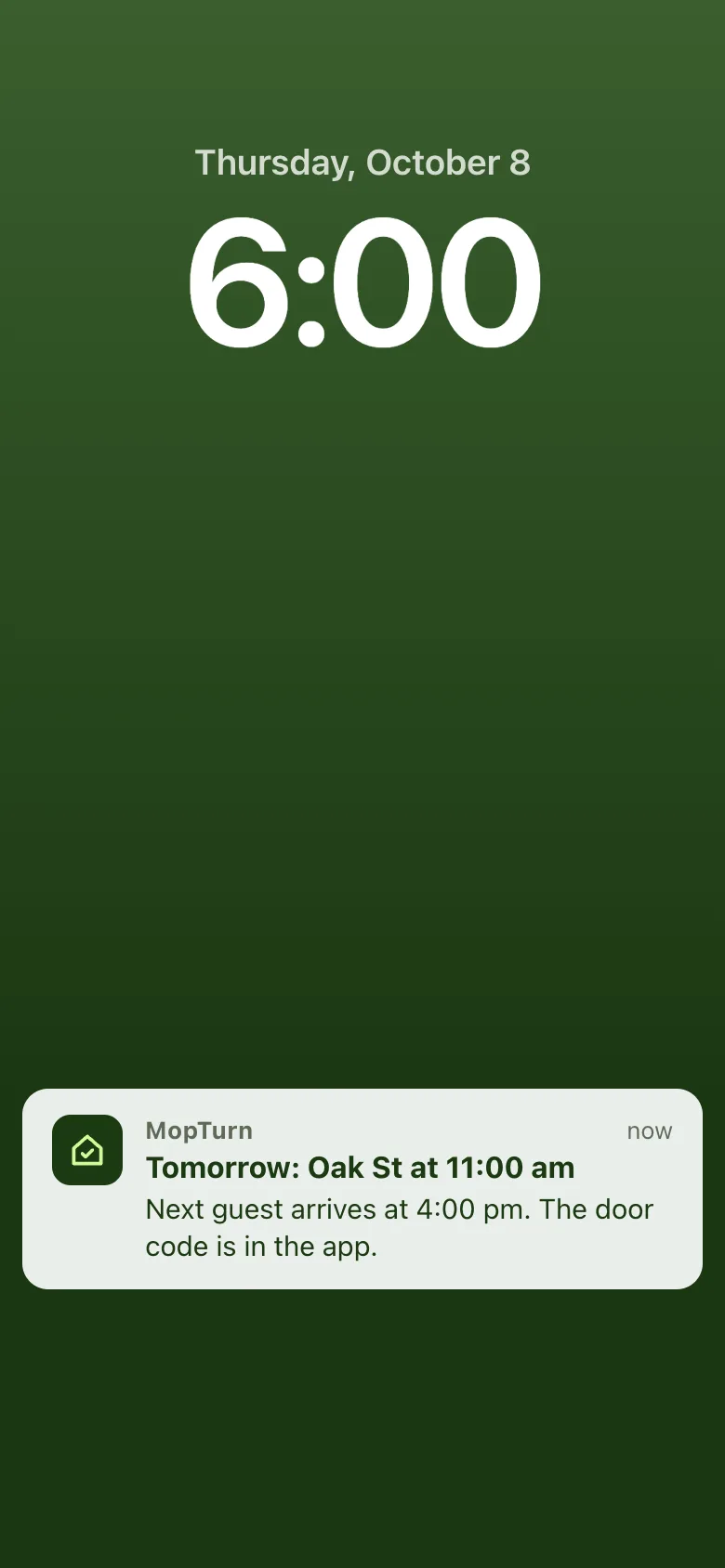
Her schedule: today, tomorrow and this week, with the address, the time and a button for directions. A new job arrives as a notification, such as "Friday 11am, Oak St", with nothing to confirm. The evening before, at 6pm, she gets a reminder.
What happens when a guest cancels or changes dates?
MopTurn takes the job off your cleaner's schedule, or moves it, and tells her right away. Changes more than 2 days ahead are just a notification. Inside 2 days she taps Got it, so you know she saw it. If she doesn't within 2 hours, she's reminded again.
Guest cancels or changes dates
Nobody drives out for nothing
Good to know: Changes more than 2 days ahead are just a notification. Inside 2 days she taps Got it, and if she doesn't within 2 hours, the app reminds her again.2
What about last-minute bookings?
An instant booking for today makes the clean urgent right away. MopTurn works out the new latest start, checks your cleaner can still make it, and tells her about the new guest. You get one notification that says it's handled.
Last-minute booking
A guest for today
Good to know: Every clean happens on checkout day, so the home is ready for surprise bookings. If Ana, your main cleaner, taps Can't make it, the job goes straight to your backup cleaners at the urgent rate.
PMS or calendar links?
| Calendar links | PMS | |
|---|---|---|
| Setup | Paste a link from Airbnb, Booking.com or Vrbo | Connect your PMS account |
| Checkout and check-in times | Your standard times per property | The real times for each booking |
| How fast changes arrive | With a delay that depends on each platform | Faster |
See which PMS plans work with MopTurn.
Why it matters
In the 667 Reddit posts we read from Airbnb and Vrbo hosts about their cleaners, 21% were about communication: telling the cleaner about bookings and changes. "How do you share booking schedules with your cleaner?" and "Cleaner missed a same-day turnover because she misread the schedule" are real post titles. A schedule that updates itself removes the most common way a turnover gets missed.
If you're sharing a calendar by hand today, start with our guide on how to share your Airbnb calendar with your cleaner.
Questions
Is there an Airbnb cleaning schedule app that updates itself?
Yes. MopTurn turns every Airbnb, Booking.com and Vrbo checkout into a job on your cleaner's schedule and updates it when a booking changes. Your cleaner never has to check your calendar.
How does my cleaner find out about a cancellation?
MopTurn removes the job from her schedule and tells her right away. If the change is within 2 days of the clean, she taps Got it to show she saw it, and if she doesn't within 2 hours, she's reminded.
Do I need a PMS?
No. MopTurn works with the calendar links Airbnb, Booking.com and Vrbo give every host. A PMS adds exact checkout and check-in times and gets changes to your cleaner faster.
Can I see every property's cleanings in one place?
Yes. Your Today view shows every turnover with its status: scheduled, on site, ready, or needing attention.